herold
Running a Samsung Galaxy Watch with an iPhone — without a Google account and without a Samsung phone
If you have a Galaxy Watch 4 or newer and an iPhone, Samsung’s intended path is closed to you. A Galaxy Watch can officially only be set up and managed from an Android phone through Galaxy Wearable. Paired with an iPhone — or with no phone at all — it ends up as a watch with no notifications, no Play Store, no way to install apps without a Google account and no access to its own health sensors.
Herold is a set of three Wear OS apps and a few scripts that close those gaps anyway: without a Google account, without a Samsung phone and without the Play Store app. Everything is sideloaded over adb, and everything is built without Gradle.
Developed on a Galaxy Watch 6 Classic (SM-R955F) paired with an iPhone 14, Wear OS 4 through 6. It is in daily use on that watch.
The problem, gap by gap
| What is missing on an account-less watch next to an iPhone | What closes it here |
|---|---|
| The watch will not finish setup without an Android phone | A start-up procedure Samsung documents itself — set up the watch |
| No notifications from the iPhone | herold/ pulls them off the iPhone over ANCS, the Bluetooth LE service Apple documents — how |
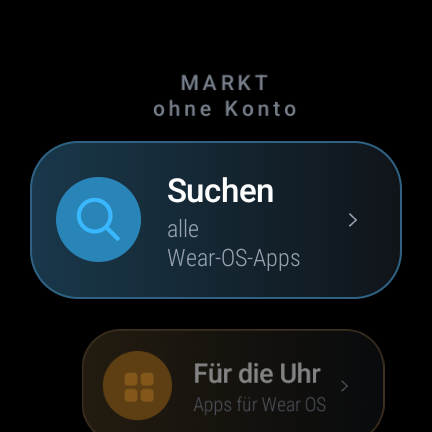
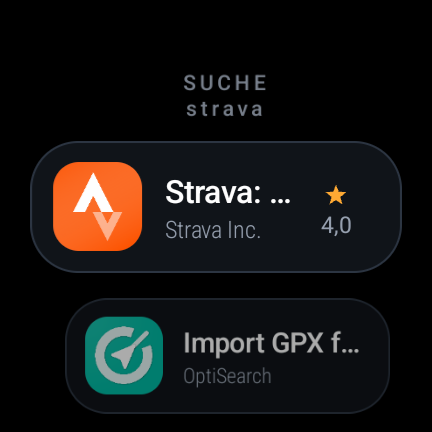
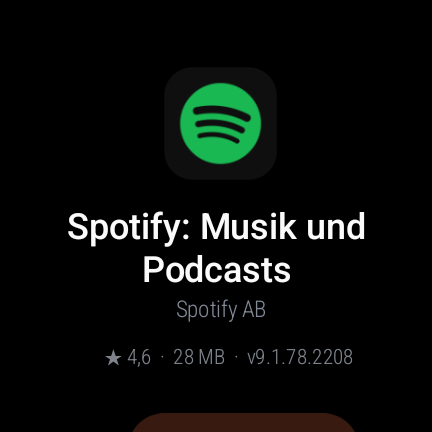
| No Play Store, so no apps | markt/ signs in to Google Play anonymously and installs onto the watch — how |
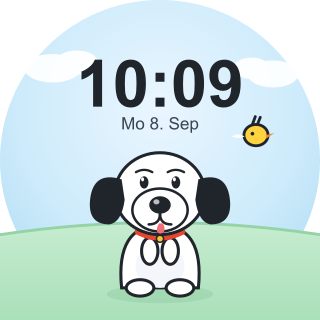
| No custom watch faces | zifferblatt/ is a complete, working example to build from — how |
| Sensors locked behind Samsung’s own app | ECG, heart rate, SpO₂, skin temperature, body composition, respiration rate — how |
| Bloatware that is useless without a Google account | werkzeuge/entruempeln.sh removes it reversibly — how |
Everything is built with the plain Android SDK tools —
aapt2 → javac → d8 → zipalign → apksigner — no Gradle, no Android Studio, no
dependency resolver. Why and how.
Ready-to-install APKs
You do not have to build anything. Release v1.1.0 contains three APKs:
| File | What it is |
|---|---|
herold-1.1.0.apk |
Notifications from the iPhone over ANCS, plus the health measurements |
markt-1.1.0.apk |
The app store that needs no Google account |
zifferblatt-1.1.0.apk |
The example watch face |
Whether there is anything newer: the latest release.
adb connect <watch-ip>:<port>
adb install herold-1.1.0.apk
If the install fails with Can't install packages while in secure FRP, the watch
is sitting in factory reset protection — which blocks every installation on a
watch set up without an account. Two adb commands fix it, and they are in
findings.
Documentation (English)
| Page | What it covers |
|---|---|
| 00 — Setting up the watch without a Samsung phone | Getting past the welcome screen with no Android phone. Start here. |
| 01 — Building without Gradle | The aapt2 → javac → d8 → apksigner chain and the traps in it |
| 02 — Getting the libraries | Which JARs you need and where each one comes from |
| 03 — Herold: the iPhone bridge and the sensors | ANCS notifications, ECG, rhythm analysis, background measurements |
| 04 — Markt: an app store without a Google account | Anonymous Play sign-in, the Wear catalogue, installing, updates |
| 05 — Building your own watch face | A classic CanvasWatchFaceService face, and setting it active over adb |
| 06 — Tools | uhr.sh, entruempeln.sh, apps.sh |
| 07 — Findings | The valuable one: things documented nowhere that each cost hours |
If you arrived here from an error message
| Symptom | Where it is explained |
|---|---|
SecurityException: Can't install packages while in secure FRP |
findings, §1 |
| A different iPhone does not list the watch in its Bluetooth settings | findings, §3 |
Either component name or watchface id are required. |
findings, §4 |
Play answers AppNotSupported (code=2) for an app |
findings, §5 |
| Play search returns zero results under a watch profile | findings, §6 |
| A self-built watch face never appears in the picker | watch face |
INSTALL_FAILED_UPDATE_INCOMPATIBLE after rebuilding |
building without Gradle |
| The adb port to the watch changed again after a restart | tools |
Dokumentation (Deutsch)
Dieselben acht Seiten auf Deutsch — das ist die Originalfassung:
| Seite | Worum es geht |
|---|---|
| 00 — Uhr einrichten | Ohne Samsung-Handy durch die Einrichtung. Hier anfangen. |
| 01 — Bauen ohne Gradle | Die Kette aapt2 → javac → d8 → apksigner und ihre Fallen |
| 02 — Bibliotheken | Welche JARs nötig sind und woher sie kommen |
| 03 — Herold | ANCS-Benachrichtigungen, EKG, Rhythmusanalyse, Hintergrundmessungen |
| 04 — Markt | Anonyme Play-Anmeldung, Wear-Katalog, Installation, Updates |
| 05 — Zifferblatt | Eigenes Ziffernblatt bauen und per adb aktiv setzen |
| 06 — Werkzeuge | uhr.sh, entruempeln.sh, apps.sh |
| 07 — Erkenntnisse | Die wertvollste Seite: was nirgends steht und Stunden gekostet hat |
What does not work
This matters as much as the rest, so it is on the front page:
- No Google push (FCM). Without a Google device registration the watch has no Google device ID, so push messages never arrive. Apps that “send content to the watch” — several watch-face apps, cloud sync — stay broken. There is no way to add this later without an account.
- No paid apps. Without an account there is nothing to buy with.
- Some apps Play refuses to deliver to an account-less device at all
(
AppNotSupported). - No blood pressure. That sensor sits behind a signature permission and Samsung Health Monitor requires a Samsung phone. What the ECG stream does allow is the pulse arrival time — a transit time, not a blood pressure, and it is named that way in the app.
- The health measurements are not a medical device. They make no diagnosis, name no condition and give no all-clear. The rhythm analysis only says whether the heartbeat was regular.
- A system update undoes parts of it: bloatware comes back, Wi-Fi debugging is switched off and factory reset protection is re-enabled. The scripts are simply run again.
What you need to build it yourself
| Watch | Samsung Galaxy Watch 4 or newer, Wear OS 4 through 6 |
| Phone | An iPhone for the notification bridge — or no phone at all |
| Computer | macOS or Linux |
| Android SDK | Command line tools (aapt2, d8, zipalign, apksigner) and platforms/android-33 |
| Java | JDK 21 |
| adb | with wireless debugging to the watch |
Third-party JARs are deliberately not in the repository — they belong to other people and some of their licenses restrict redistribution. 02 — Getting the libraries says where to fetch each one.
Source code
Everything is on GitHub under the MIT license: github.com/chackrahunter/herold · README · Releases
Reports from other watch models are especially welcome — if something behaves differently for you, open an issue with the model, the Wear OS version and what happened.